Building AI Agents
A practical guide to building an AI agent around the plan act observe loop, covering tool definitions, stopping conditions, error handling, and trace logging.
Oct 13, 2026 · 7 min read
What an agent actually is
An agent is a program that calls a language model in a loop. The model reasons about what to do, emits a structured request to call a tool, your code executes that tool, and the result goes back to the model for the next pass. The loop repeats until the model produces a final answer. The model never touches your database, filesystem, or APIs directly. It asks, and your code decides whether to comply.
The loop has a name in the literature. Yao et al. described the Thought, Action, Observation cycle in the 2022 ReAct paper (arXiv 2210.03629, Princeton and Google Research). Their experiments showed that interleaving reasoning traces with actions against a knowledge base reduced hallucination on question answering tasks and improved success rates on interactive tasks like ALFWorld and WebShop. The plan act observe loop below is the engineering version of that pattern.
The plan act observe loop
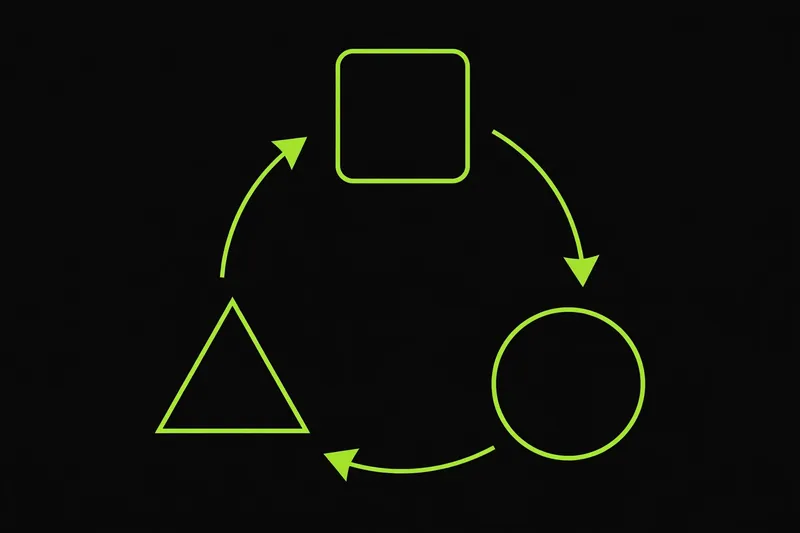
Each iteration of the loop has three phases.
- Plan. The model reads the conversation history and decides the next move: call a tool or finish with an answer.
- Act. Your code executes the requested tool with the arguments the model supplied.
- Observe. The tool result is appended to the conversation so the model can see it on the next pass.
That is the whole architecture. Everything else in this guide is handling for the ways this loop can go wrong in production.
Defining tools
A tool definition is a contract between your code and the model. It states the tool name, what the tool does, when to use it, and what arguments it takes. Both OpenAI and Anthropic describe arguments with JSON Schema. Here is a minimal OpenAI tool definition.
```python
tools = [
{
"type": "function",
"name": "search_docs",
"description": "Search the product documentation. Returns matching passages.",
"parameters": {
"type": "object",
"properties": {
"query": {
"type": "string",
"description": "Search terms, e.g. 'rate limits authentication'",
},
},
"required": ["query"],
"additionalProperties": False,
},
"strict": True,
}
]
```
The description field is the primary interface between you and the model. Write it the way you would write a docstring for another engineer: what the tool does, when it is appropriate, and what each argument means. Vague descriptions are the most common reason a model picks the wrong tool. Keep the tool set small. Each tool definition costs tokens on every pass through the loop, and models choose less reliably when dozens of overlapping tools compete.
A minimal working loop
The example below uses the OpenAI Python SDK and a single tool. It shows the full cycle: send the conversation, read the model reply, run any requested tools, append the results, repeat. It is complete enough to run as written with an API key in the environment.
```python
import json
from openai import OpenAI
client = OpenAI()
def search_docs(query: str) -> str:
"""Placeholder. Replace with a real search call."""
return f"Docs for '{query}': the rate limit is 100 requests per minute."
TOOL_IMPLS = {"search_docs": search_docs}
def run_agent(user_message: str, max_steps: int = 8) -> tuple[str, list]:
messages = [{"role": "user", "content": user_message}]
trace = []
for step in range(max_steps):
response = client.chat.completions.create(
model="gpt-4o-mini",
messages=messages,
tools=tools,
tool_choice="auto",
parallel_tool_calls=False,
)
message = response.choices[0].message
messages.append(message)
if not message.tool_calls:
trace.append({"step": step, "type": "answer", "text": message.content})
return message.content, trace
for tool_call in message.tool_calls:
args = json.loads(tool_call.function.arguments)
trace.append({
"step": step, "type": "tool_call",
"name": tool_call.function.name, "args": args,
})
try:
result = TOOL_IMPLS[tool_call.function.name](**args)
except Exception as e:
result = f"ERROR: {type(e).__name__}: {e}"
trace.append({"step": step, "type": "tool_result", "result": result})
messages.append({
"role": "tool",
"tool_call_id": tool_call.id,
"content": str(result),
})
return "Stopped after max_steps without an answer.", trace
answer, trace = run_agent("What is the API rate limit?")
print(answer)
```
The same structure works against the Anthropic API with different block shapes. There the model returns tool_use content blocks carrying id, name, and input, and your code answers with tool_result blocks that reference the originating id. The loop logic stays identical.
Stopping conditions
An agent without explicit stopping rules can loop until it burns through its token budget. Set these four.
- The model returns a final answer with no tool calls. This is the normal exit.
- A maximum step count is reached. Ten steps covers most single-tool tasks. Complex research tasks sometimes need twenty or more. Pick a number based on measured behavior, not intuition.
- The model repeats a call it already made. Track tool names and arguments. If the same call appears twice in a row with identical arguments, the model is stuck and should be told so.
- A wall clock or token budget is exceeded. Long loops accumulate context, and context costs money. A hard cap protects both.
When a non-answer condition triggers, return a plain summary of what happened so far, plus the trace. A stuck agent that explains where it got stuck is easier to debug than one that silently returns nothing.
Error handling
Tool calls fail. The network drops, an API returns a 500, the model supplies an argument your code did not expect. Handle failures inside the loop instead of around it.
Catch exceptions around every tool execution. Convert the exception into a string starting with ERROR and feed it back as the tool observation. Models are good at reading an error message and retrying with corrected arguments, but only if they see the error. A crash that escapes the loop denies them that chance.
Validate arguments before executing. If a required field is missing or the wrong type, return a message that names the problem: ERROR: missing required field 'query'. The model can fix a named problem. It cannot fix a silent one.
Treat tool timeouts as errors, not hangs. Set a timeout on every external call your tools make. A tool that blocks for two minutes blocks the whole loop.
Never let a tool throw the model an unfiltered stack trace. Stack traces leak file paths, library versions, and internal names. Return a short error string and keep the full traceback in your own logs.
Keeping prompts small
Every tool definition, every conversation message, and every tool result rides along in the model's context on each pass. Costs and latency scale with that context.
Limit the number of tools exposed at once. Fewer than twenty is a workable guideline from OpenAI's own function calling guidance. If your product needs more, load a core set first and fetch additional tools only when the conversation suggests them.
Shorten tool descriptions. One or two sentences that state the purpose and the trigger condition. Move long reference material out of the prompt and into a tool the model can query.
Truncate tool results before appending them. A search tool that returns ten full documents floods the context. Return summaries, page numbers, or the top three results with a way to fetch more. Cap every tool result at a fixed length and cut from the end.
Logging traces
Record every step of the loop: the model reply, each tool call with its arguments, and each result. The trace list in the example above is the starting point.
A trace serves three purposes. First, debugging. When an agent produces a wrong answer, the trace shows exactly where it went wrong: a bad plan, a bad tool choice, or a bad tool result. Second, replay. You can re-run a trace against new prompts to test whether a change improved behavior. Third, cost accounting. Step counts and token usage per run come straight from the trace.
Store traces as structured data, not log lines. JSON objects with step numbers, types, and payloads are queryable. Plain text is not. Redact secrets from tool arguments and results before persisting anything. A trace that includes an API key in a tool argument is a credential leak.
Most production agent bugs are loop bugs: missing stop conditions, swallowed errors, or context bloat. The loop itself is simple. Running it well is the work.
Comments
Loading comments…